


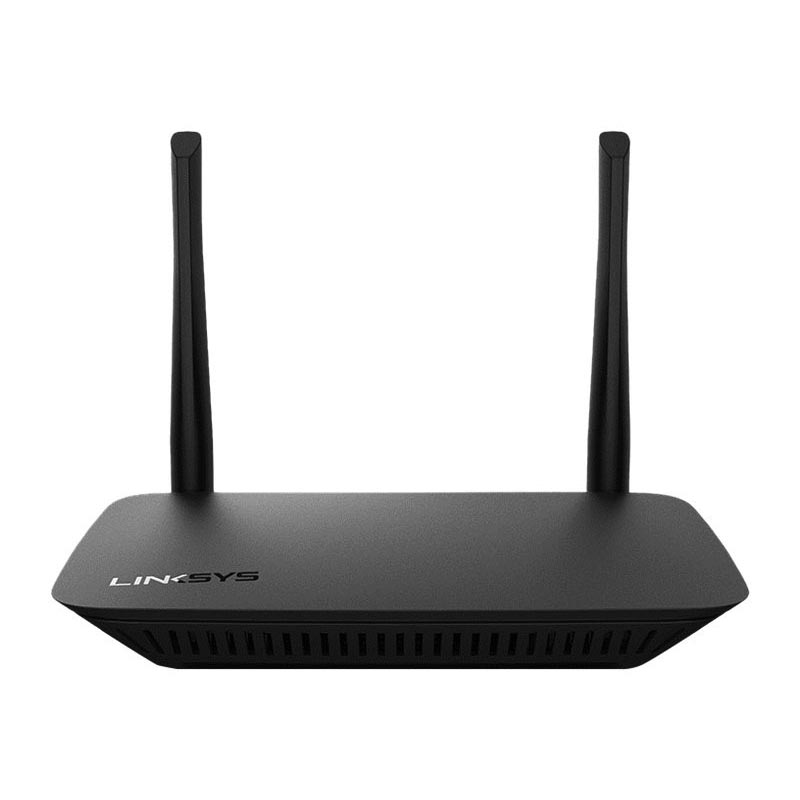
Linksys – E5350 AC1000 Dual-Band WiFi 5 Router
| Brand Name: | Linksys |
| Part Number: | E5350 |
| Product Type: | Linksys – E5350 AC1000 Dual-Band WiFi 5 Router |
| Specification: | Please refer Datasheet on Manufacturer Website |
| Warranty: | Manufacturer Standard Warranty. |
Description
Linksys – E5350 AC1000 Dual-Band WiFi 5 Router
DETAILS:
Linksys – E5350 AC1000 Dual-Band WiFi 5 Router
Features:
HARDWARE INFORMATION
- What is the Linksys E5350 AC1000 Dual-Band WIFI 5 Router?
- What are the parts of the Linksys E5350?
- What are the product features of the Linksys E5350?
- What is the warranty of the Linksys E5350?
- Where is the reset button of the Linksys E5350 located?
SETUP AND INSTALLATION
- What are the requirements for setting up the Linksys E5350?
- How do I set up the Linksys E5350?
FEATURES AND FUNCTIONS
- How do I access the Linksys E5350 web interface?
- Is the Linksys E5350 supported by the Linksys app?
- What is the data rate of the Linksys E5350?
- What is Beamforming Technology?
- What wireless security types does the Linksys E5350 support?
TROUBLESHOOTING
- How can I reset the Linksys E5350 to factory defaults?
- How do I know if I have successfully reset the Linksys E5350?
- How can I tell if the Linksys E5350 is powered on?
FIRMWARE UPGRADE
- How do I upgrade the firmware of my Linksys E5350?
- Does the Linksys E5350 have an auto firmware update feature?HARDWARE INFORMATION
- What is the Linksys E5350 AC1000 Dual-Band WiFi 5 Router?
- The Linksys E5350 AC1000 Dual-Band WiFi 5 Router lets you enjoy the power of Wi-Fi technology. It delivers enhanced speed, range and security for all your networking needs. With speeds of up to 2.3x faster than a wireless-N router, you’ll be able to swiftly stream HD videos, surf, email, play games online, browse and chat.
- What are the parts of the Linksys E5350?
- The parts of the Linksys E5350 are:
- Ports / Buttons
- Power port
- One 10/100 Mbps internet port
- Four 10/100 Mbps ethernet ports
- Reset button (located at the bottom)
- Wi-Fi Protected Setup™ (WPS) button
- Indicator lights
- Back panel WPS, internet (WAN port), ethernet (LAN ports)
- Antennas
- Two external, adjustable, non-detachable antennas
- To know more, click here.
- What are the product features of the Linksys E5350?
- Below are the major product features of the Linksys E5350:
- AC1000 Dual-Band
- 11 a/b/g/n/ac
- Beamforming Technology
- Guest Network
- Parental Controls
- Two adjustable antennas (non-detachable)
- Four 10/100 Mbps ethernet ports + one 10/100 Mbps internet port
- What is the warranty of the Linksys E5350?
- The warranty period is dependent on the country of purchase. For more information about your device’s warranty, click here.
- Where is the reset button of the Linksys E5350 located?
- The reset button is located at the bottom of the Linksys E5350.
General Inquiries
There are no inquiries yet.



Reviews
There are no reviews yet.